Log Integration (Beta)
HertzBeat's log integration module aims to achieve unified reception, standardized processing of log data from different third-party log systems and observability platforms. As a centralized "log center", HertzBeat can efficiently integrate log information from external systems and provide real-time log monitoring and analysis capabilities.
The log integration feature is currently in Beta (experimental) stage. There may be potential defects and limitations. The feature is under active development and iteration.
The 1.8.x endpoint POST /api/logs/otlp/v1/logs (and POST /api/logs/ingest/otlp) is replaced by POST /api/otlp/v1/logs. Update the logs_endpoint of every OpenTelemetry Collector / SDK exporter that points at HertzBeat. On 1.9.x the old paths still work as deprecated aliases (the response carries Deprecation: true and HertzBeat logs a warning); they are removed in 2.0. The query paths /api/logs/**, /api/traces/** and /api/ingestion/otlp/** moved to /api/observability/** with no alias. See the Version Upgrade Guide for the full old/new path table.
Metrics, logs, and traces share /api/otlp/v1/{signal} for ingestion and /api/observability/** for queries. This release intentionally does not create or bind Entity records from telemetry. External OTLP signal tables are also separate from HertzBeat's internal self-telemetry tables.
Core Capabilities
- Multi-source Log Integration: Support receiving log data from mainstream platforms such as OpenTelemetry, Filebeat, Vector, Loki
- Log Format Standardization: Convert log data from different platforms to HertzBeat's internal unified format for subsequent processing and analysis
- Real-time Log Processing: Provide real-time log stream processing capabilities, supporting instant storage and distribution of log data
- Intelligent Log Analysis: Provide log search, filtering and other analysis functions
Supported Log Sources
HertzBeat currently supports data integration from the following third-party log platforms:
- OTLP: Support standard OpenTelemetry Log Protocol (OTLP) HTTP format, can directly receive log data from OpenTelemetry Collector and various applications that support OTLP.
- More Protocol Support: HertzBeat is actively expanding its log integration support, including Filebeat, Vector, Loki, etc. If you can't find the integration you need temporarily, the active community can also help you add it.
You can view specific integration methods and configuration examples through HertzBeat's "Log Integration" interface.
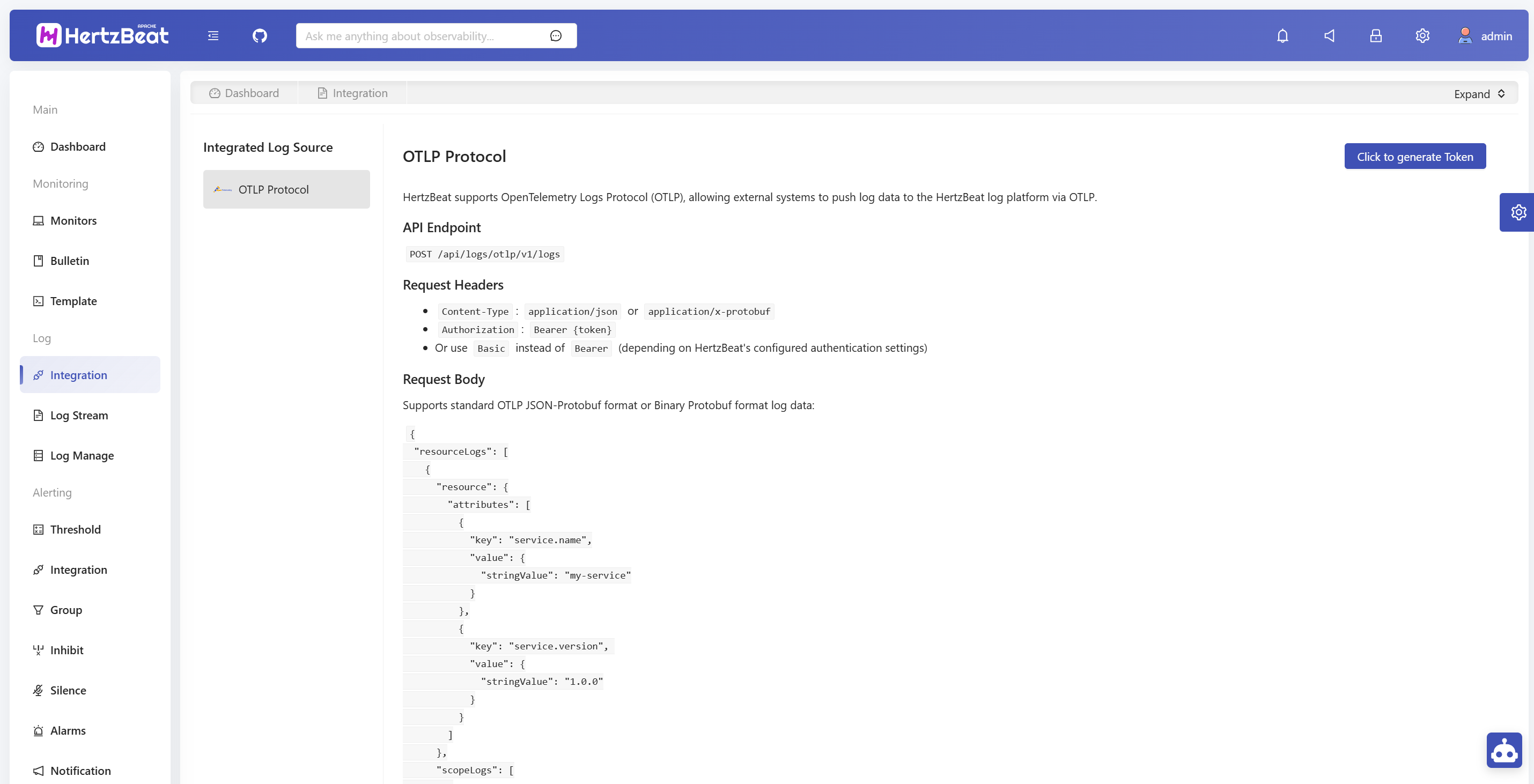
OpenTelemetry OTLP Protocol Integration
API Endpoint
HertzBeat provides the following interface for receiving OTLP log data:
POST /api/otlp/v1/logs
OTLP/gRPC Endpoint
HertzBeat also runs an OTLP/gRPC listener when GreptimeDB storage is enabled, accepting metrics, logs
and traces. It expects the same Authorization: Bearer {token} credential as the HTTP endpoint.
{hertzbeat_host}:14317
The port is 14317 on every deployment - the docker images publish it unchanged, so there is no container-versus-host translation to remember.
It is deliberately not the OpenTelemetry standard 4317: an OTel Collector, Jaeger or Tempo on the same host normally holds that port already, and a clash on a published port stops the container from starting at all. HertzBeat serves OTLP/HTTP on its own port too, so this is consistent with the rest of the product rather than an exception.
To use 4317 anyway, or to turn the listener off, set it in application.yml or through the matching
environment variables (and update the port mapping in docker-compose.yaml to match):
hertzbeat:
  otlp:
    grpc:
      enabled: ${HERTZBEAT_OTLP_GRPC_ENABLED:true}
      host: ${HERTZBEAT_OTLP_GRPC_HOST:0.0.0.0}
      port: ${HERTZBEAT_OTLP_GRPC_PORT:14317}
If the port cannot be bound, HertzBeat logs the failure and starts without gRPC ingestion; OTLP/HTTP
on /api/otlp/v1 keeps working.
Request Configuration
Request Headers
Content-Type:application/jsonorapplication/x-protobufAuthorization:Bearer {token}
Request Body Format
Supports standard OTLP JSON-Protobuf format or Binary Protobuf format log data:
{
  "resourceLogs": [
    {
      "resource": {
        "attributes": [
          {
            "key": "service.name",
            "value": {
              "stringValue": "my-service"
            }
          },
          {
            "key": "service.version",
            "value": {
              "stringValue": "1.0.0"
            }
          }
        ]
      },
      "scopeLogs": [
        {
          "scope": {
            "name": "my-logger",
            "version": "1.0.0"
          },
          "logRecords": [
            {
              "timeUnixNano": "1640995200000000000",
              "severityNumber": 9,
              "severityText": "INFO",
              "body": {
                "stringValue": "This is a log message"
              },
              "attributes": [
                {
                  "key": "user.id",
                  "value": {
                    "stringValue": "12345"
                  }
                }
              ],
              "traceId": "12345678901234567890123456789012",
              "spanId": "1234567890123456"
            }
          ]
        }
      ]
    }
  ]
}
Configuration Examples
OpenTelemetry Collector Configuration
Add HertzBeat as a log export target in the OpenTelemetry Collector configuration file:
exporters:
  otlphttp:
    logs_endpoint: http://{hertzbeat_host}:1157/api/otlp/v1/logs
    compression: none
    encoding: json
    headers:
      Authorization: "Bearer {token}"

service:
  pipelines:
    logs:
      receivers: [otlp]
      processors: [batch]
      exporters: [otlphttp]
Log Data Format Description
Core Fields
- timeUnixNano: Log timestamp (nanosecond precision)
- severityNumber: Log level numeric value (1-24, corresponding to TRACE to FATAL)
- severityText: Log level text (such as "INFO", "ERROR", etc.)
- body: Log message content
- attributes: Log attribute key-value pairs
- traceId: Trace ID (optional)
- spanId: Span ID (optional)
Resource Attributes
Application and environment information can be set through resource.attributes:
service.name: Service nameservice.version: Service versiondeployment.environment: Deployment environment (dev/test/prod)host.name: Host name
Configuration Verification
- Configure Log Sender: Configure external systems to send OTLP logs to HertzBeat specified interface
- View Received Logs: View received log data in HertzBeat real-time log module
- Verify Data Integrity: Verify whether log data format, timestamp, attributes and other information are correct
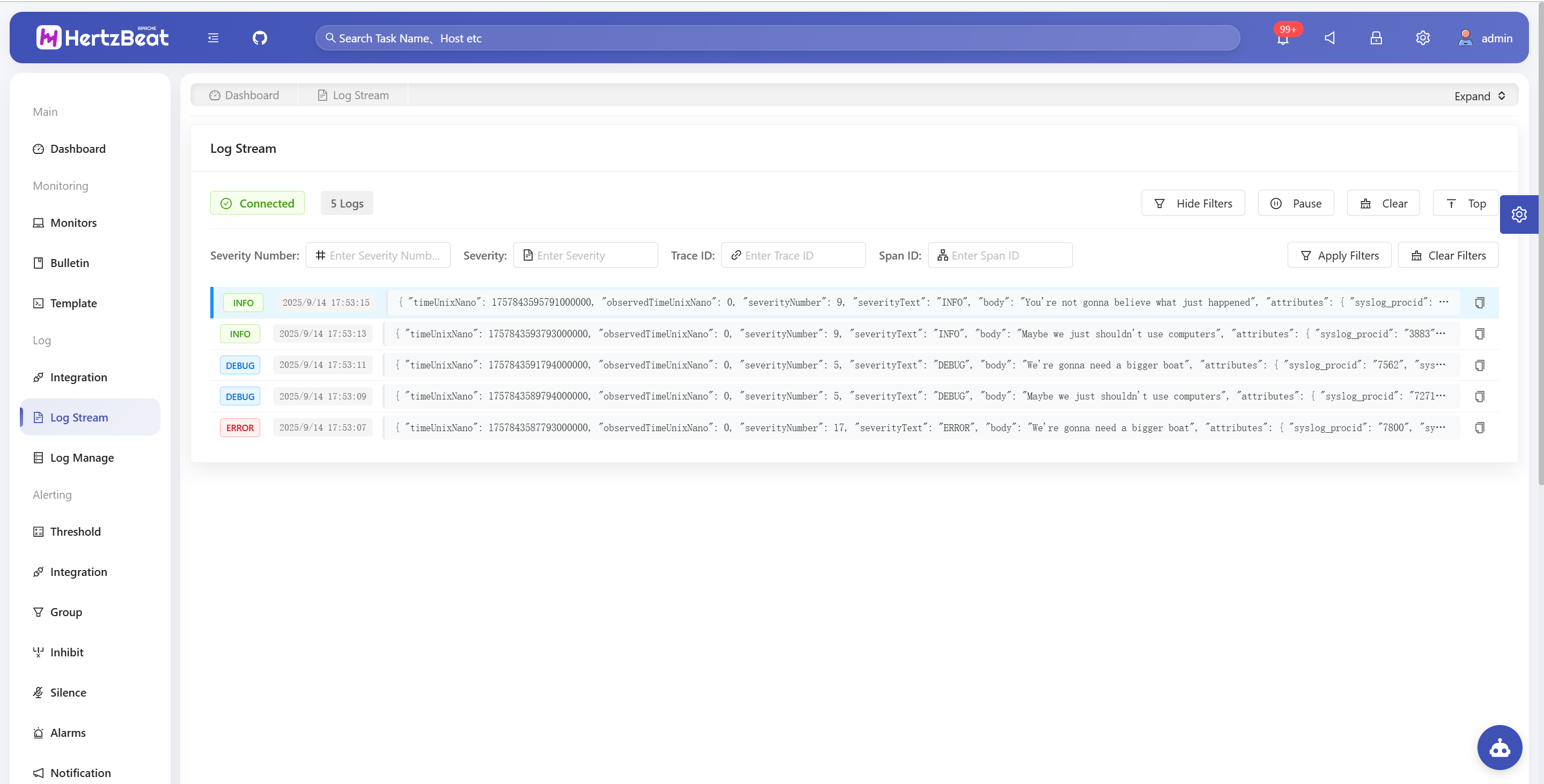
Common Issues
Log Sending Failed
- Network Connection Issues: Ensure HertzBeat service address can be accessed by external systems
- Request Header Error: Verify that request header Content-Type is set to
application/json
Log Format Error
- OTLP Format: Ensure standard OTLP JSON-Protobuf or Binary Protobuf format is sent
- Timestamp Format: Check if timestamp format is Unix timestamp with nanosecond precision
- Log Level: Verify severityNumber value range (1-24)
- Data Type: Ensure data types of each field comply with OTLP specification
Related Resources
For more log integration methods or technical issues, feel free to communicate with the community through GitHub Issues.