Use aaPanel Deploy HertzBeat
Apache HertzBeat™ supports one-click deployment in the Docker application store of the aaPanel.
Prerequisites
Install aaPanel, go to the aaPanel, switch the script and install.
Install
-
Log in, click
Dockermenu and install theDockerDocker Composeaccording the prompts.Install the Docker service, skip if it already exists.
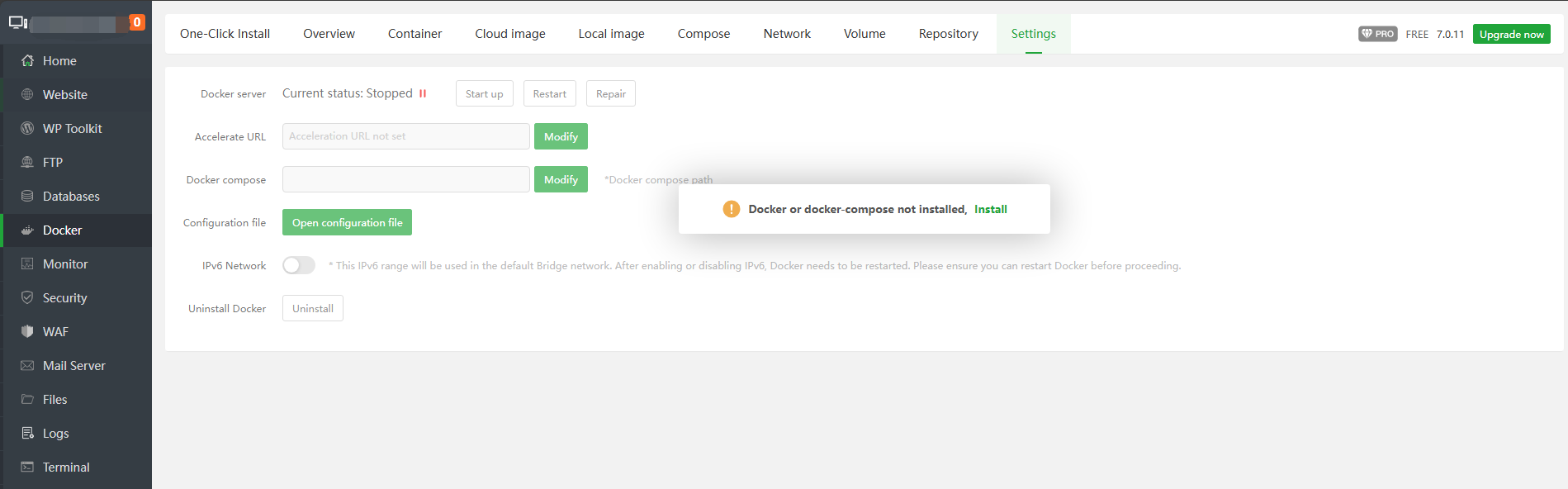
-
Find
HertzBeatinOne-Click Installand clickInstall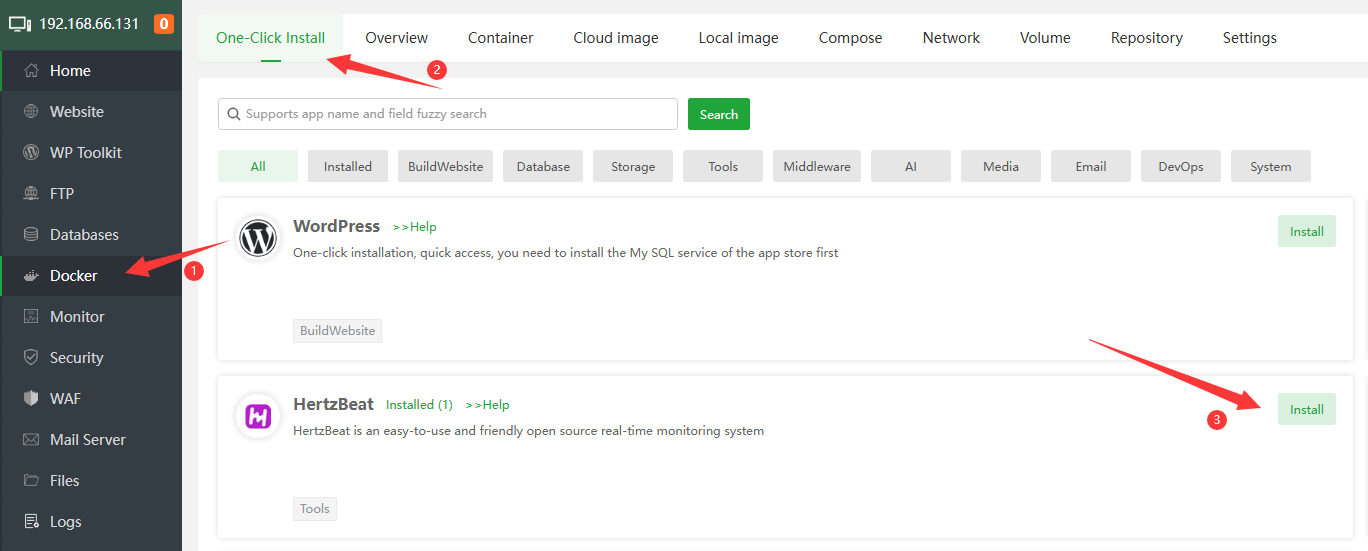
-
Config the domain, name and others, click
OK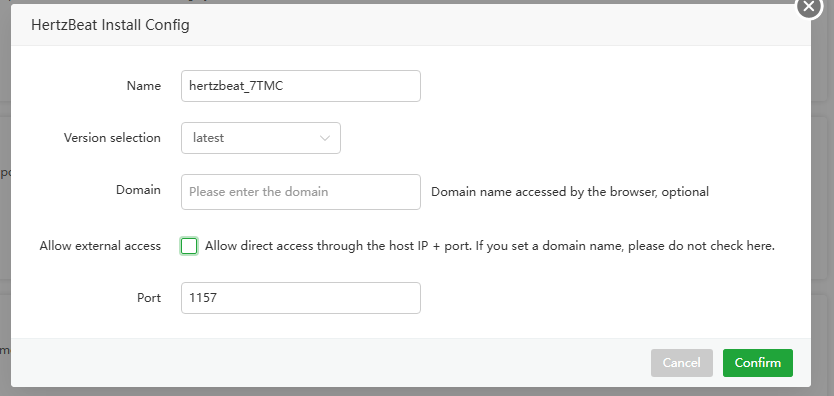
- Name: App name, default the
HertzBeat-random - Version:Default
latest - Domain:Config if you need domain access, please configure the domain name here and resolve the domain name to the server
- Allow External Access:If you need to access directly through
IP+Port, please check it. If you have already set the domain name, please do not check here - Port:Default
1157
- Name: App name, default the
-
After submission, the panel will automatically initialize the application, which takes about
1-3minutes. It can be accessed after the initialization is completed.
Access HertzBeat
- If you have set a domain name, please enter the domain name directly in the browser address bar to access, such as
http://demo.hertzbeat.apache.org, you can access theHertzBeatconsole. - If you choose to access via
IP+Port, please enter the domain name in the browser address bar to accesshttp://\<aaPanelIP>:1157, you can access theHertzBeatconsole.
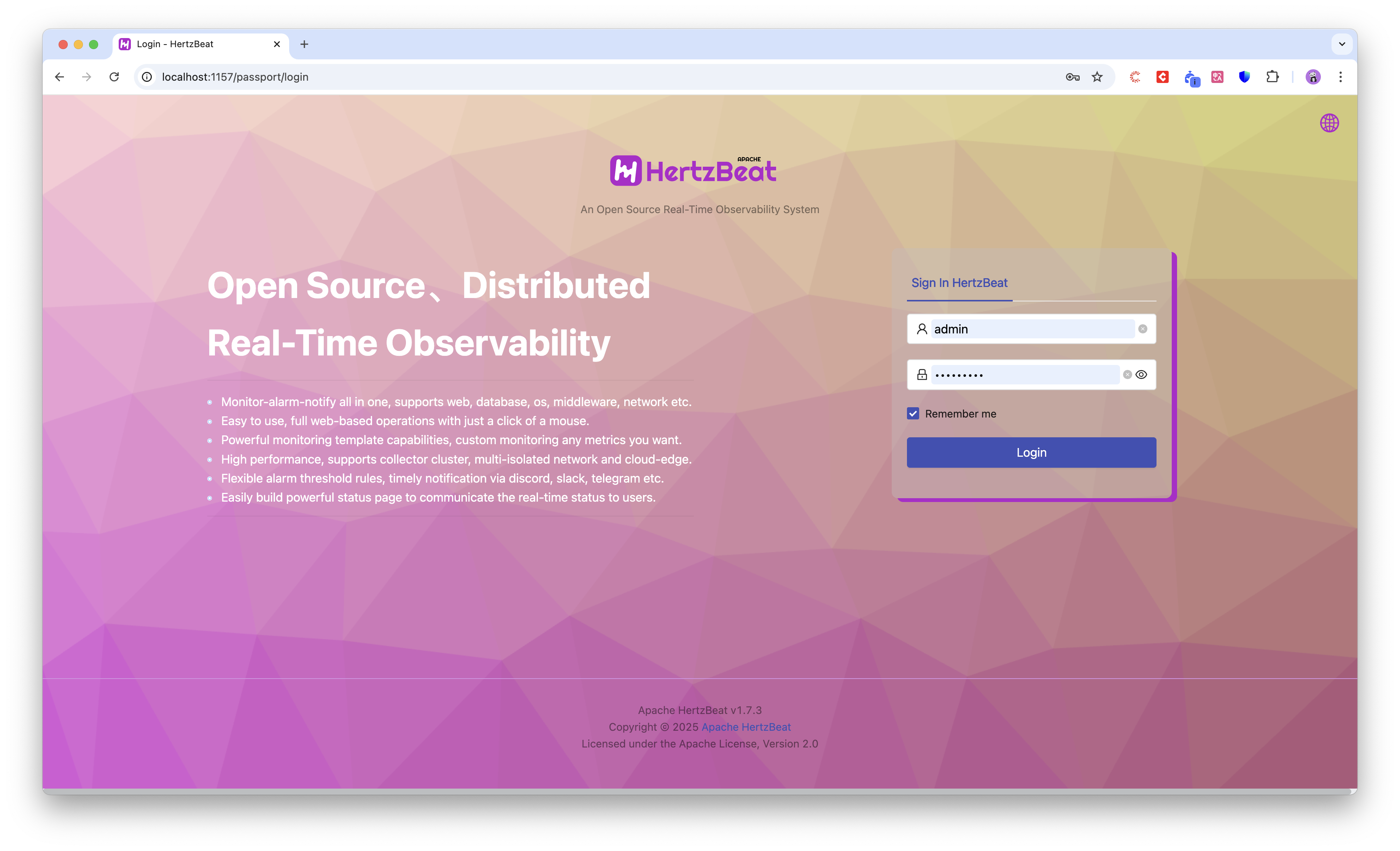
Default account username:
adminpassword:hertzbeat